How to delete a case
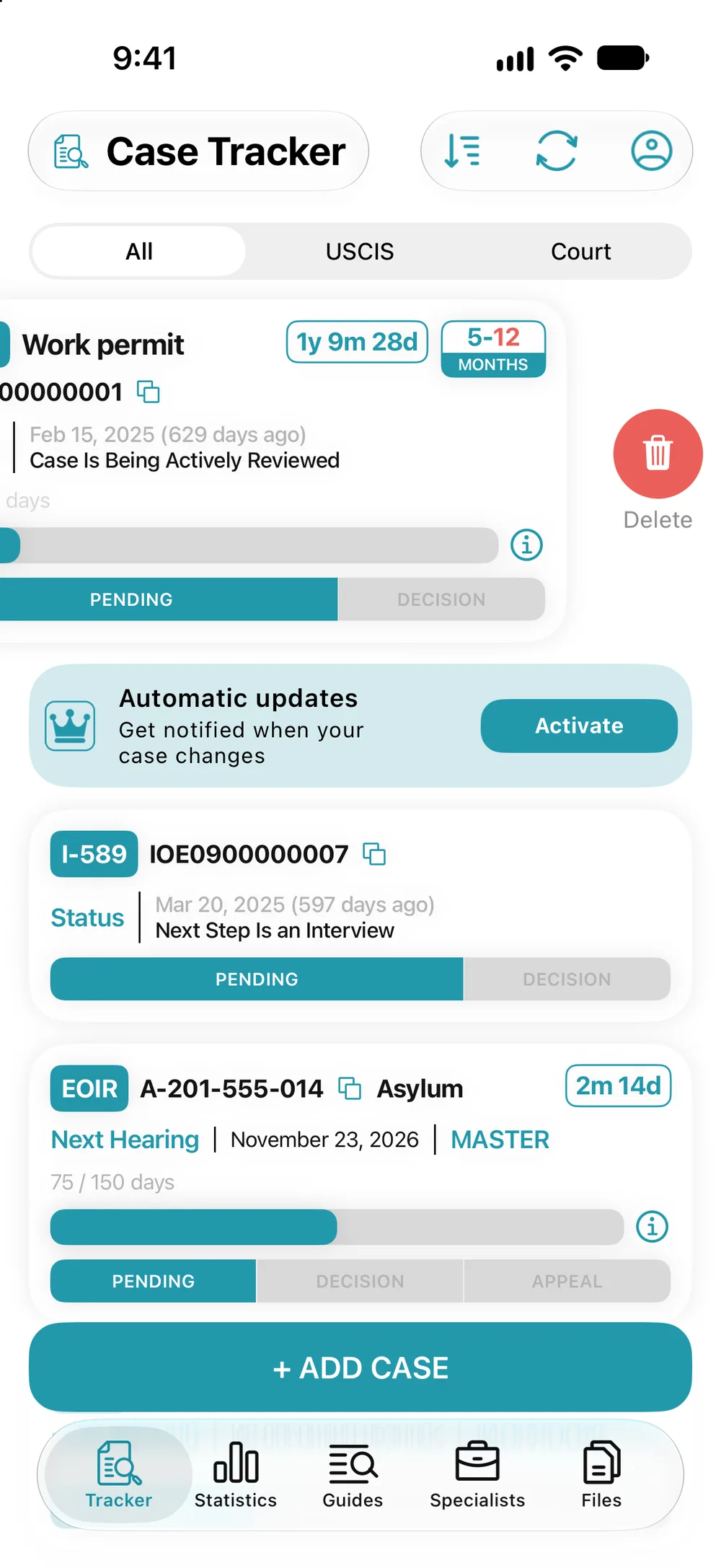
- In the Tracker, swipe the card left and tap “Delete”. Or open the case and tap the trash icon.
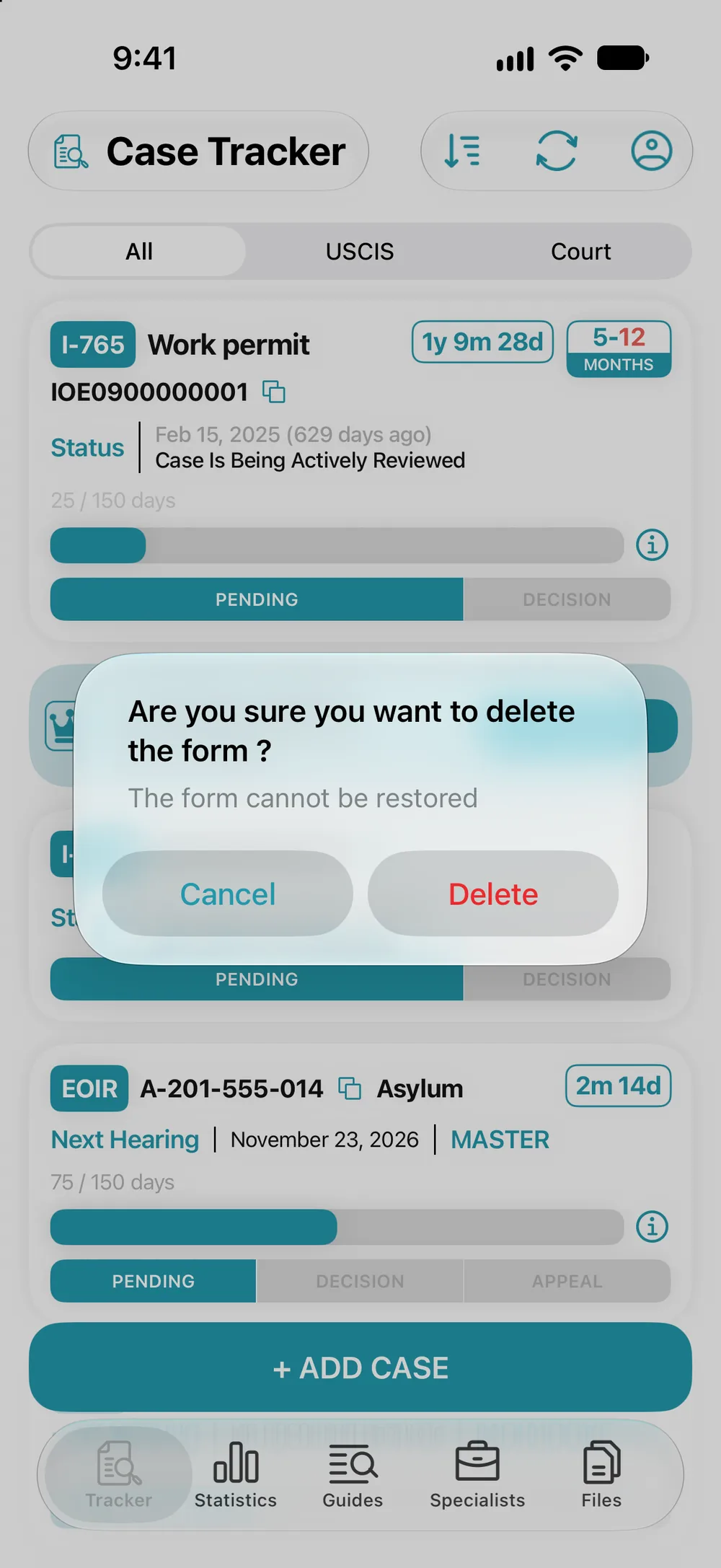
- Confirm: “Delete”. The form can’t be restored.
Your actual case at USCIS or in court doesn’t change: only its card in the app is deleted.